Your face, measured.
Add a front or side photo, or both. The landmarks are found on your device, you check them,
and each view gets a 0–10 rating with every measurement drawn on your photo.
How it works
From photo to rating, in three steps.
- 01
Choose your scan
The norms to compare against, then the front, the side profile, or both. You’ll need a free account.
- 02
Add a photo, check the points
The landmarks are found on your device. Drag any that are off before you get your rating.
- 03
See every measurement
Each view is rated 0–10. Point at a measurement to see the landmarks and lines it uses, then save it to your results.
See a sample result
The two scans
Two views, measured differently.
Each analysis has its own measurements and its own 0–10 scale. A good photo matters more than anything else.
 Front profile
34 measurements · one front-facing photo
Facial proportions
How balanced the regions of your face are. Each measurement is compared with its ideal
range, and the whole view gets one rating from 1 to 10.
How the rating works
Each measurement lands in a tier worth fixed points from a scoring workbook. The rating starts from where your
points fall within the range possible on the measurements that could be taken, stretched so that a typical face
scores about 5.9.
Photo tips
- Face the camera straight on, head level
- Relaxed, neutral expression, mouth closed
- Even light; no glasses; hairline and jaw in view
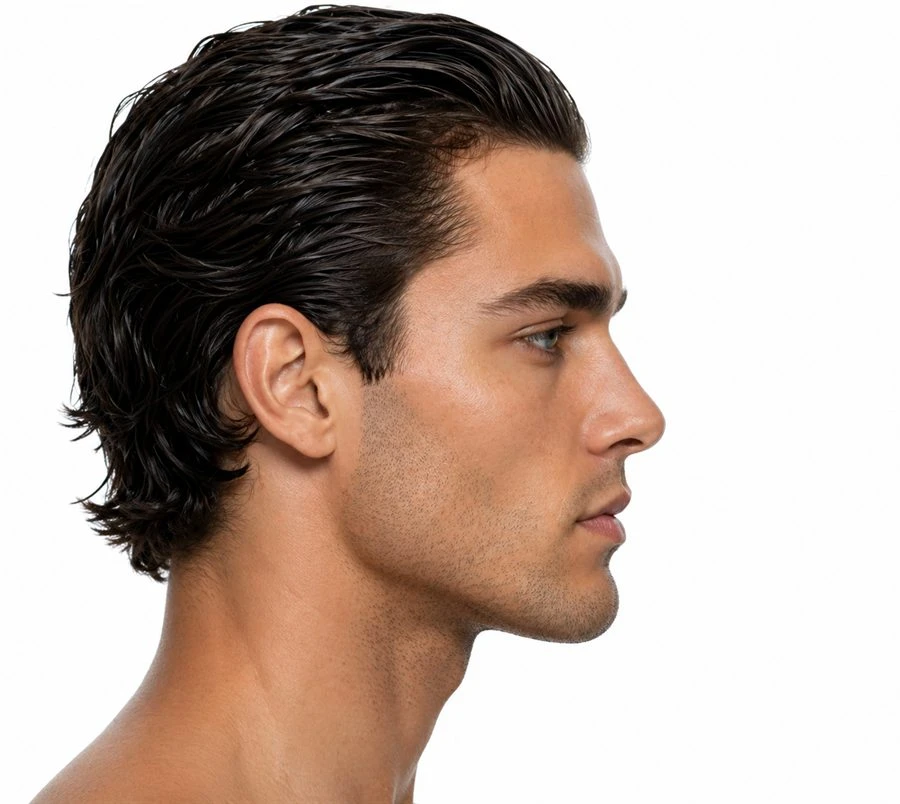 Side profile
30 measurements · one side-profile photo
Angles, lines and proportions
The angles, lip lines and proportions of your profile, each rated 0–10 against published norms, then
combined into one rating for the view.
How the rating works
The overall rating is a weighted average of the 30 measurement ratings, in which weaker measurements count
extra, so one marked deviation isn’t averaged away. Far outside its range a measurement can rate below 0,
as the original tier sheet takes points away there; the overall stays between 1 and 10.
Photo tips
- A true side view — only one eye visible
- Lips gently closed; ear and neck in view
- Stand 1.5–2 m away and zoom in, rather than a close-up
Good to know
Private by design.
Your photos never leave your browser
- Your photo and its points stay on your device. Both analyses run in your browser;
the photo and the landmark positions are never uploaded.
- A scan needs a free account. Supabase, our database provider, keeps your email
address, the handle and display name you choose, and when you confirmed your age and accepted the
privacy policy. You must be 16 or older. With Continue with Google you sign in on Google’s own
page; your Google name and picture are never copied or shown.
- You choose what is saved. Save to history uploads a scan’s ratings,
settings, photo-quality warnings and measurement values. Never the photo, never the point positions.
You can delete any saved scan, or your whole account, at any time.
- Other services the site contacts. The front-profile analysis downloads its
face-detection runtime from jsDelivr (cdn.jsdelivr.net) and its models from Google Cloud Storage
(storage.googleapis.com). No photo is sent, but like any web request these reveal your IP address to
them. The side-profile analysis loads its models from this site.
Read the privacy policy
Can I compare the front and side ratings?
Not directly. The two analyses measure different things in different ways, and their
0–10 scales have not been calibrated against each other: the front rating is a position within the
points attainable on 34 measurements, 31 of them from a scoring workbook, the side rating a weighted mean of 30
measurements rated against published norms.
When you scan both, the results page also shows a combined rating — a provisional 50/50
average, as a rough summary only.
What does this browser keep?
Saved results stay in this browser’s local storage, so the results page can show them.
The front-profile analysis saves the rating, the norms and the time; the side-profile analysis saves the
point positions, the settings and its rating. Both also save each measurement’s value, tier and points or
rating. None of this leaves your browser unless you press Save to history.
Why choose the norms first?
Several ideal ranges differ between men and women, so each rating depends on the norms
it was scored against. Choosing once means both analyses use the same norms; you can still change
them inside each analysis, and the results page warns you if the two differ.
What makes a good photo?
A sharp, evenly lit photo with nothing covering the face: no glasses, hair off the brow and
the ear, the jaw and neck in view. For the front, face the camera straight on with your head level. For the
side, turn a full 90° so only one eye is visible. Stand back and zoom in — close phone shots distort
proportions.
Is this a medical assessment?
No. It describes proportions against reference values, for education and aesthetic
reference. It is not a diagnosis, and depends on photo quality and point placement.
Ready when you are.
All it takes is a photo and a free account. Your photo never leaves your device.
Start a scan